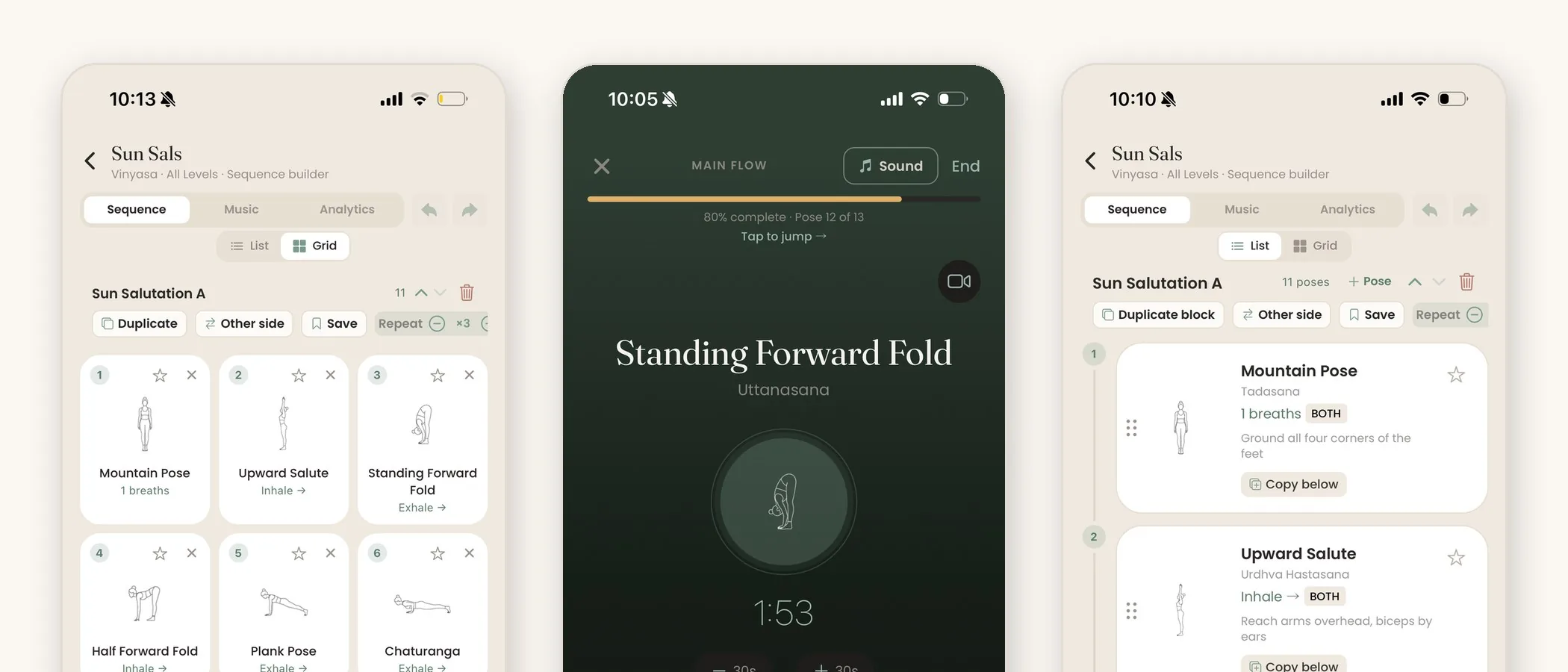
If you teach yoga, you probably know the feeling. Your best sequence lives half in a notes app, half in a screenshot from three months ago, and half in your memory. You rebuild the same class from scratch every week. And when you finally get to the front of the room, you're squinting at a phone that keeps going dark mid-flow.
I kept running into all of it, so I built the tool I wanted to exist. It's called Cue, and it puts the whole life of a class — planning it, teaching it, and remembering what worked — in one place.
Plan a class in minutes, not an evening
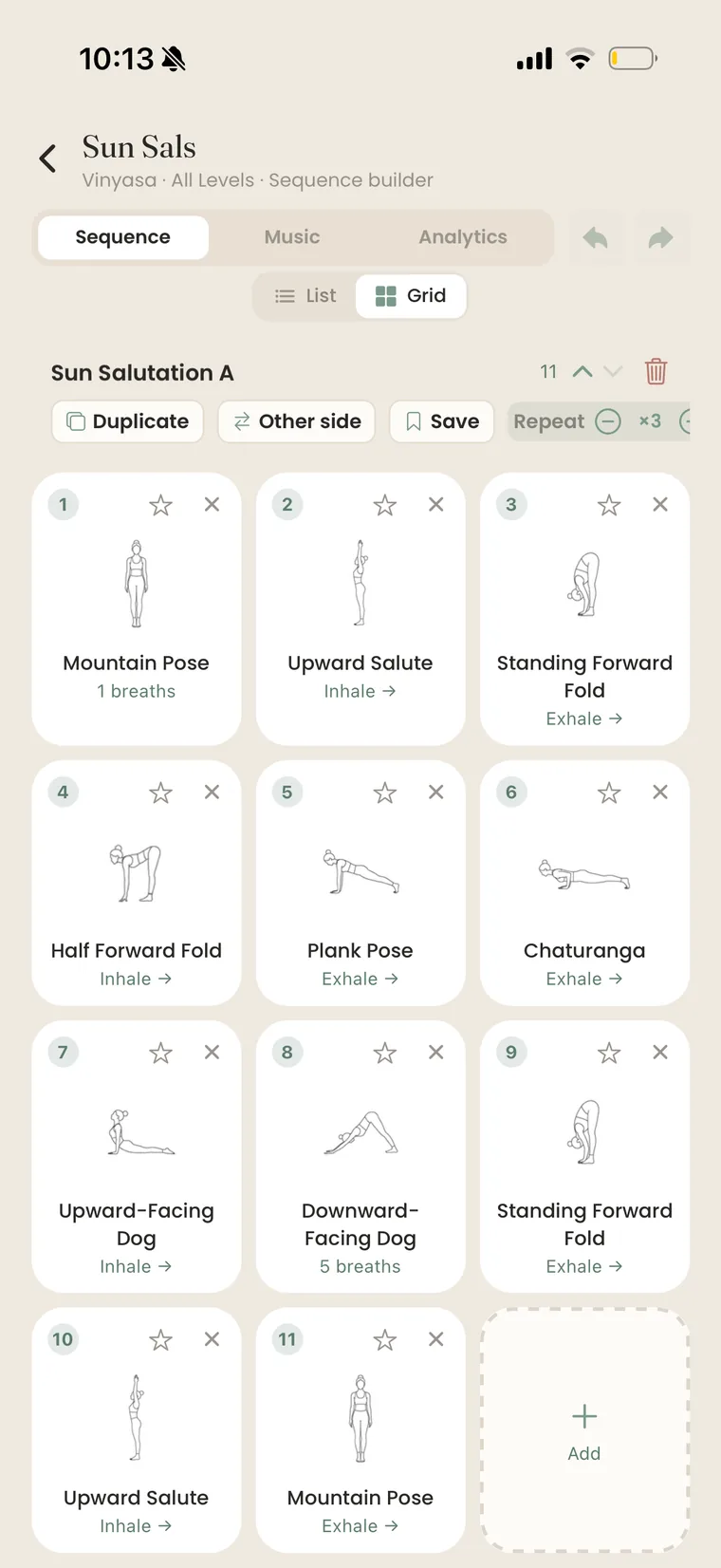
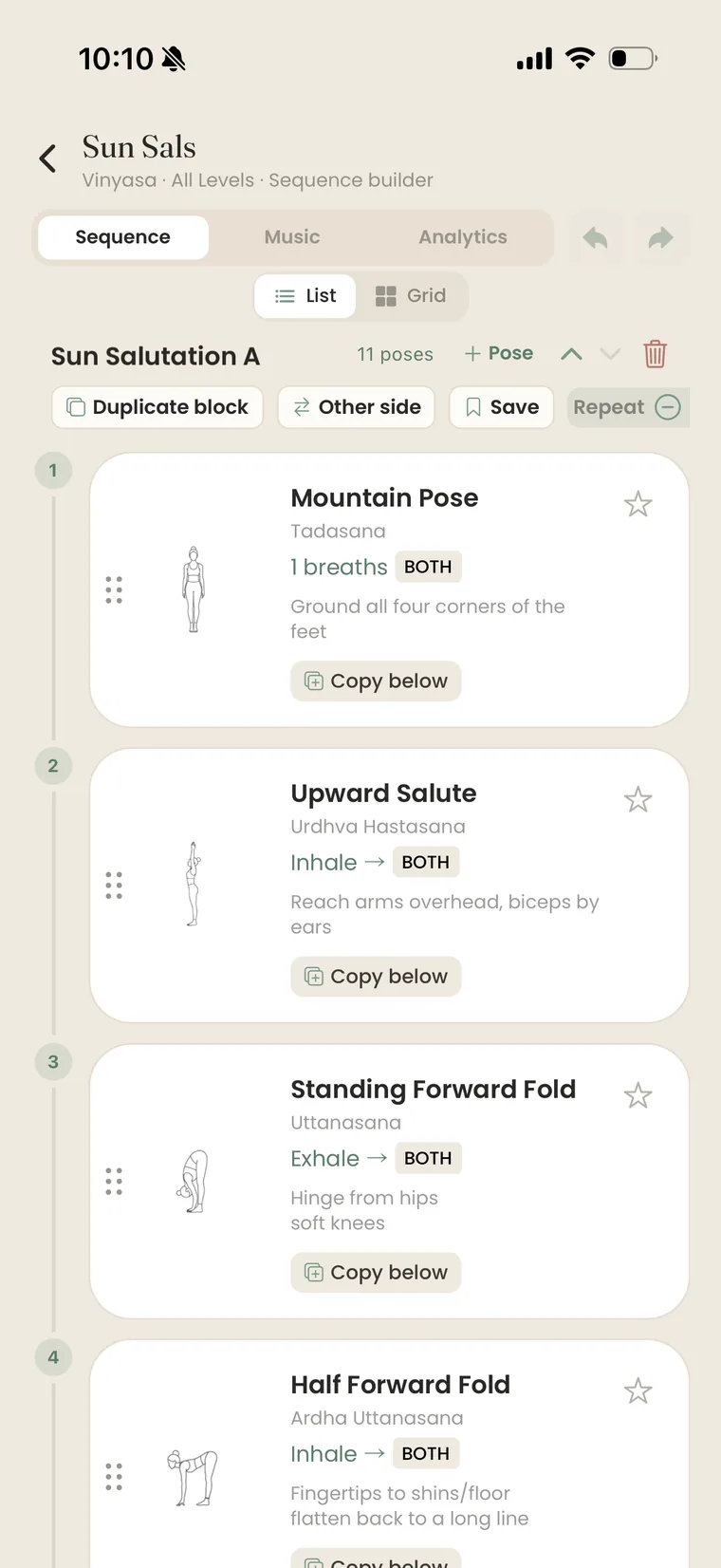
Cue's sequence builder is visual. You drag poses into place, reorder and duplicate them, and flip a pose to the other side in a tap. Every pose can carry your own cues, breath counts, and timing, and you can view the whole class as a grid of poses or a detailed list.
Behind the builder is a library of 150+ illustrated poses with clean icons, alignment cues, and breath counts — plus room to add your own poses and notes. Once a class is saved, it's yours to reuse: duplicate last month's flow, adjust it for a new group, and you're done planning before your tea goes cold.
Teach from one calm screen
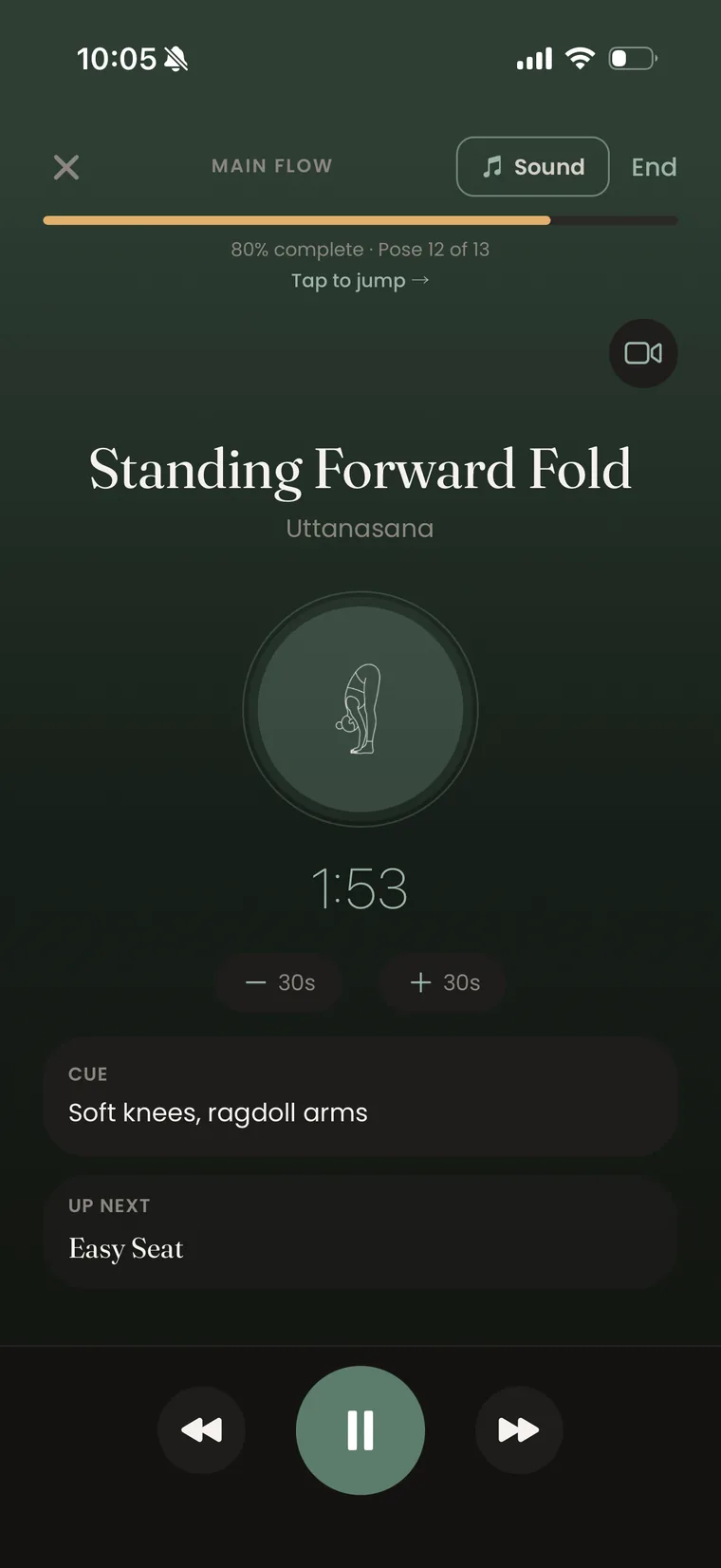
Teaching mode is the part I'm proudest of. It's a quiet, glanceable screen that shows the current pose, your cue, the breath count, and a timer — with what's coming up next right below. The screen stays awake for the whole class, so there's no tapping your phone back to life between poses.
You can even connect your Spotify playlist, so the music is ready before the first breath and you're not fumbling at the front of the room.
Remember what actually worked
The classes we teach are full of small discoveries — a transition that landed, a pose that needed more setup — and most of them evaporate by the next morning. After each class, Cue prompts a 30-second reflection. Over time your library becomes a record of what works, so every class starts a step ahead of the last one.
AI, when you want a starting point
Cue also has built-in AI that can draft a full, editable class from a few details — or take a class you already have and shorten it to 45 minutes, swap out wrist-heavy poses, or adapt it for runners. Everything it drafts is a starting point you review and shape. You stay the teacher; it just gets you there faster.
Try it before your next class
Cue runs in any browser and on iPhone and Android, and your library syncs across all of them — so you can plan on a laptop and teach from your phone. Any class exports to a clean PDF if you like a printed plan on the mat.
It's free to start: no card, two saved classes, and three AI generations a month for as long as you like. If you teach — yoga, or movement of any kind — I'd love for you to try it. And if something confuses you, tell me. That's how it gets better.